How to use the Chat component
This guide shows you how to add a Chat component to your dashboard.
The Chat component renders a message history, a textarea, and a send button. It is decoupled from any specific LLM. You bring the backend by subclassing ChatAction and overriding generate_response.
Add a chat to a page
To add a Chat, drop it into a page's components list and pass an action. The simplest possible action just echoes the user's last message.
Echo chat
import vizro.models as vm
from vizro import Vizro
from vizro_experimental.chat import Chat, ChatAction, Message


class EchoAction(ChatAction):
    """Echo the user's last message back as the assistant reply."""

    def generate_response(self, messages: list[Message]) -> str:
        return f"You said: {messages[-1]['content']}"


page = vm.Page(
    title="Echo chat",
    components=[Chat(actions=EchoAction())],
)

Vizro().build(vm.Dashboard(pages=[page])).run()
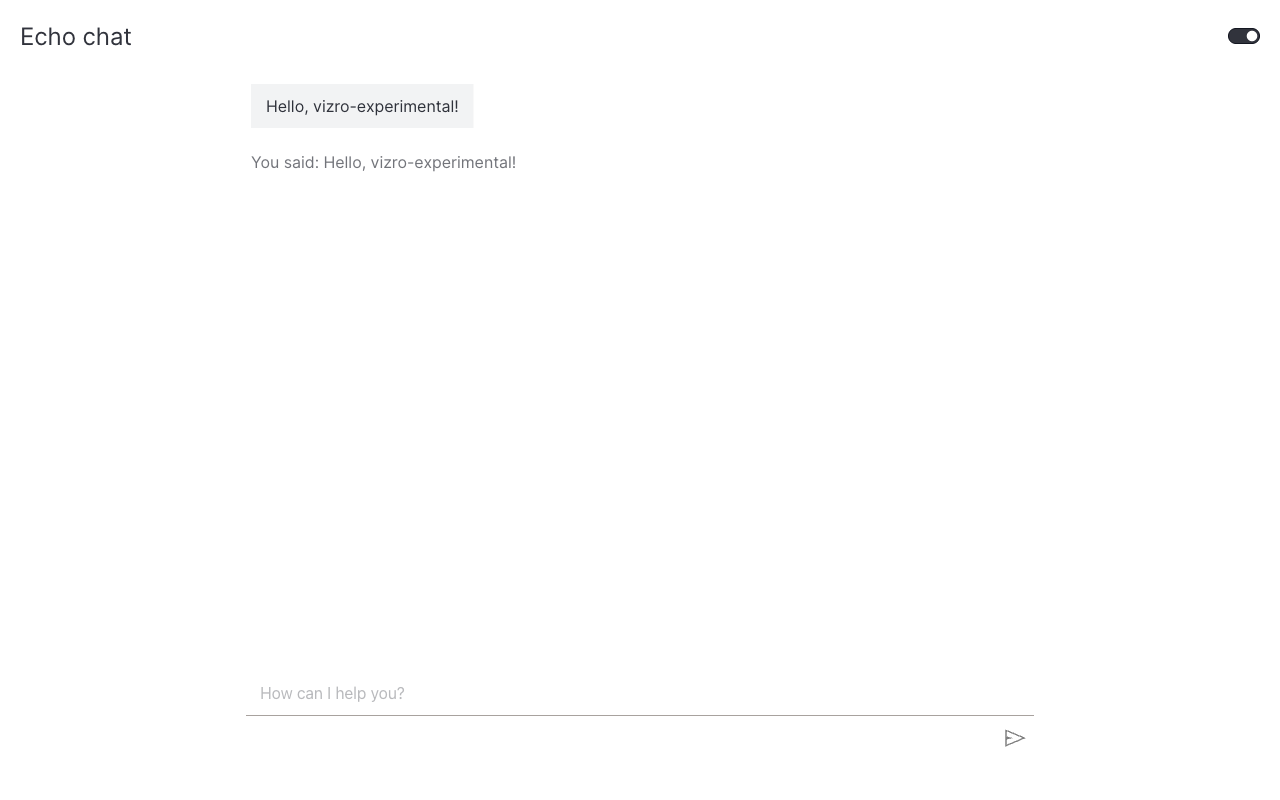
The messages argument is the parsed conversation history. Each entry has a role ("user" or "assistant") and a content field decoded from the wire format. The most recent user message is always messages[-1].
Customize the placeholder
Use the placeholder argument to replace the default hint text shown in the input.
What's next
- Use a real LLM: wire a LLM provider's SDK into a
ChatAction. - Stream text responses: show tokens as they arrive.
- API reference: the full public surface.