How to add a chat popup
This guide shows you how to add a floating chat popup to any Vizro dashboard.
The popup is not a Vizro page component. It mounts at the dashboard root, appears as a floating button in the bottom-right corner, and persists across page navigation. By default it spins up a data-aware PydanticAI agent that introspects the datasets registered with data_manager and answers questions about them. No Chat model, no ChatAction subclass, no backend code.
Install the popup extra
Set OPENAI_API_KEY for the default model (gpt-5.4-mini-2026-03-17).
Add the popup with the auto-agent
Call add_chat_popup after app.build(dashboard) and before app.run().
Popup with the auto-agent
import vizro.models as vm
import vizro.plotly.express as px
from vizro import Vizro
from vizro.managers import data_manager
from vizro_experimental.chat.popup import add_chat_popup

data_manager["iris"] = px.data.iris()

dashboard = vm.Dashboard(
    pages=[
        vm.Page(
            title="Iris",
            components=[
                vm.Graph(figure=px.scatter("iris", x="sepal_width", y="sepal_length"))
            ],
        )
    ]
)

app = Vizro().build(dashboard)
add_chat_popup()
app.run()
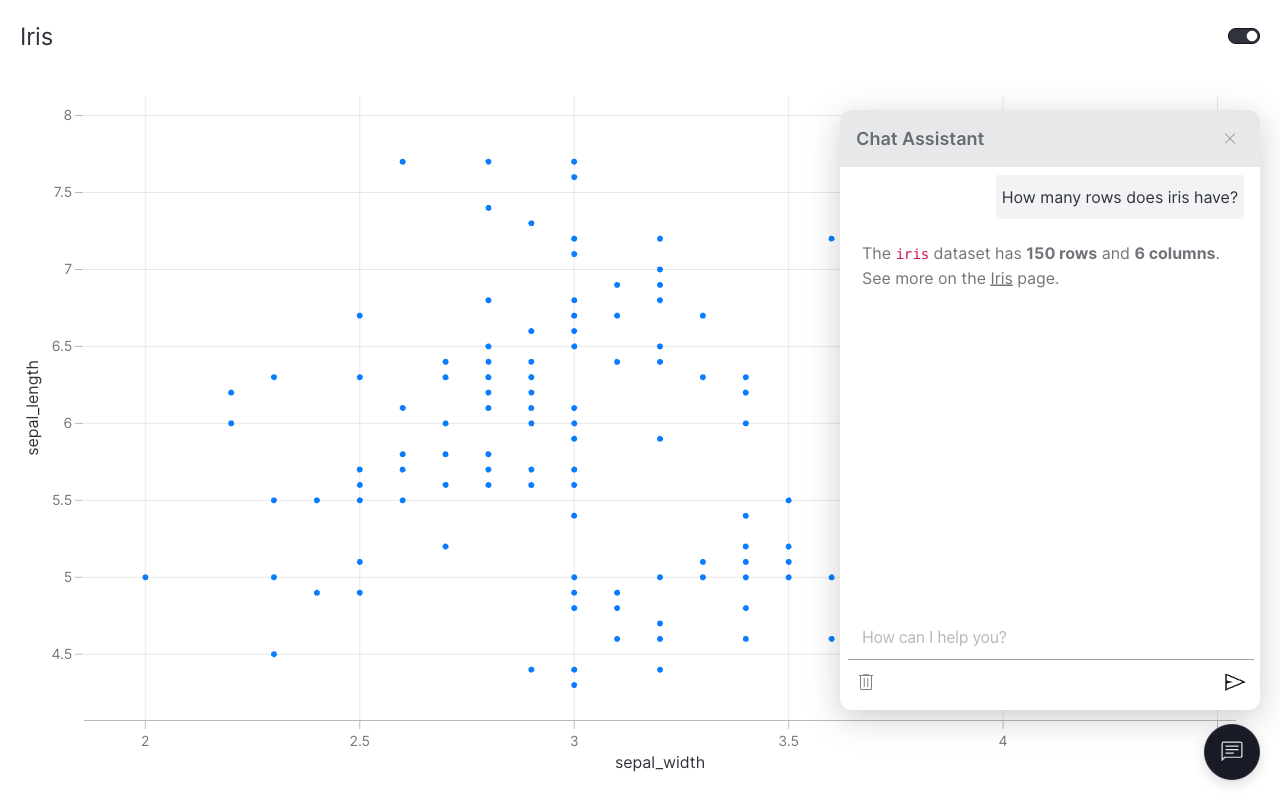
The popup auto-discovers iris from data_manager and includes its schema and a sample of rows in the agent's system prompt. Questions like "how many rows does the iris dataset have?" or "what columns are available?" now work out of the box.
Bring your own model
The auto-agent defaults to OpenAI, but PydanticAI is provider-agnostic. Pass any PydanticAI model instance via the model= argument and the rest of the popup wiring is unchanged. Useful when you want a different provider (Anthropic, Google, Bedrock, Ollama, …), a different model size, or a model client with a custom base URL / retries / zero-retention settings.
from pydantic_ai.models.anthropic import AnthropicModel
from vizro_experimental.chat.popup import add_chat_popup

add_chat_popup(model=AnthropicModel("claude-sonnet-4-6"))
Set ANTHROPIC_API_KEY (or whichever provider's env var matches your model). When you supply your own model, the reasoning_effort= argument is ignored. Configure reasoning / temperature / etc. on the model instance itself.
Bring your own backend
To skip the auto-agent and use a custom backend, pass a generate_response callable. It receives parsed messages and either returns a string (non-streaming) or yields chunks (streaming).