How to add file upload
This guide shows you how to enable file upload on a chat and forward the attached files to your action.
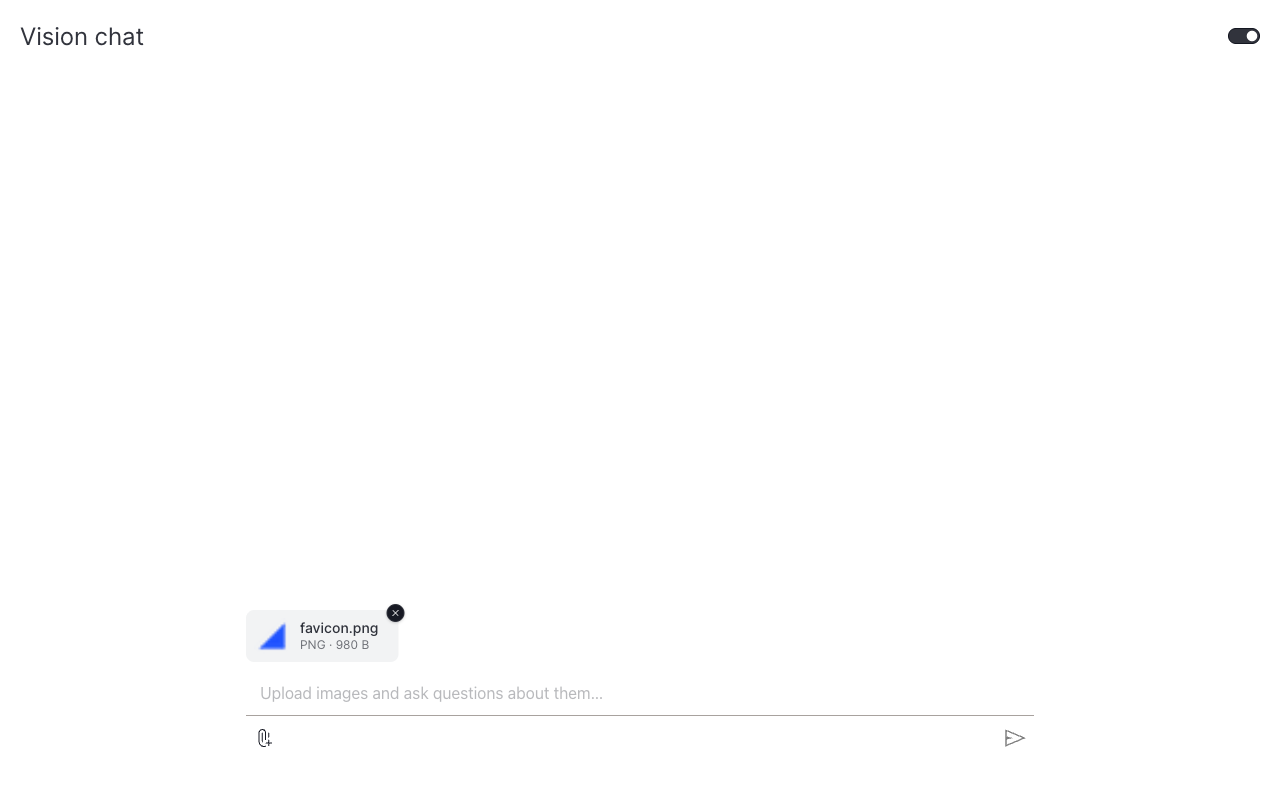
Setting file_upload=True on Chat adds a paperclip button next to the input. Each uploaded file is base64-encoded as a data URL and forwarded to the action as uploaded_files=[{"filename": ..., "content": "data:..."}]. To receive the files, declare uploaded_files on your action's generate_response signature.
We use OpenAI's vision API as the example below to analyze attached images. The same upload pipeline works for CSVs, PDFs, or anything else. Decode the data URL inside generate_response and use the bytes however you like.
Enable upload on the Chat
The action only receives the uploaded_files kwarg when its signature explicitly lists it:
Forward images to a vision model
Vision models accept content as a list of input_text and input_image parts. Pass image data URLs as-is.
Chat that analyzes uploaded images
from collections.abc import Iterator

from openai import OpenAI
from pydantic import Field

import vizro.models as vm
from vizro import Vizro
from vizro_experimental.chat import Chat, Message, StreamingChatAction


class OpenAIVisionChat(StreamingChatAction):
    model: str = Field(default="gpt-4.1-nano")

    def generate_response(
        self,
        messages: list[Message],
        uploaded_files: list[dict] | None = None,
    ) -> Iterator[str]:
        prior = [{"role": m["role"], "content": m["content"]} for m in messages[:-1]]
        last_text = messages[-1]["content"]

        content = [{"type": "input_text", "text": last_text}]
        for file in uploaded_files or []:
            if file["content"].startswith("data:image/"):
                content.append({"type": "input_image", "image_url": file["content"]})

        client = OpenAI()
        response = client.responses.create(
            model=self.model,
            input=[*prior, {"role": "user", "content": content}],
            stream=True,
        )
        for event in response:
            if event.type == "response.output_text.delta":
                yield event.delta


page = vm.Page(
    title="Vision chat",
    components=[
        Chat(
            actions=OpenAIVisionChat(),
            placeholder="Upload images and ask questions about them…",
            file_upload=True,
        )
    ],
)

Vizro().build(vm.Dashboard(pages=[page])).run()
Re-attach files on follow-ups
The example above only attaches images to the current turn. A follow-up like "and what color is it?" would lose the image. To support multi-turn questions about an uploaded file, re-attach files from earlier user turns too.
Attachments uploaded in prior turns are preserved at msg["attachments"] (a list of {filename, content} dicts) on each user Message. Walk historical turns and re-emit their files alongside the text:
def _user_content(text, attachments):
    blocks = [{"type": "input_text", "text": text}]
    for f in attachments or []:
        if f["content"].startswith("data:image/"):
            blocks.append({"type": "input_image", "image_url": f["content"]})
    return blocks if len(blocks) > 1 else text


def generate_response(self, messages, uploaded_files=None):
    api_messages = []
    for msg in messages[:-1]:
        content = _user_content(msg["content"], msg.get("attachments")) if msg["role"] == "user" else msg["content"]
        api_messages.append({"role": msg["role"], "content": content})
    api_messages.append({"role": "user", "content": _user_content(messages[-1]["content"], uploaded_files)})
    # ...call the model with api_messages...
Each repeated image is re-sent (and re-billed) on every turn, typical for image-heavy conversations. Trim messages if cost matters. The openai_vision_* actions in examples/chat_component/actions.py show the full pattern via the _build_vision_api_messages helper.
Handle non-image files
For CSVs, Excel, PDFs, or any other format, decode the base64 data URL and process the bytes:
import base64
import io
import pandas as pd


class CsvSummariser(ChatAction):
    def generate_response(self, messages, uploaded_files=None):
        if not uploaded_files:
            return "Please upload a CSV file."
        file = uploaded_files[0]
        raw = base64.b64decode(file["content"].split(",", 1)[1])
        df = pd.read_csv(io.BytesIO(raw))
        return f"{file['filename']}: {len(df)} rows, columns {list(df.columns)}"
What's next
- Combine features: pair file upload with example questions and Vizro-AI to build a richer chat.
- Add a chat popup: drop a turnkey chat onto an existing dashboard.